

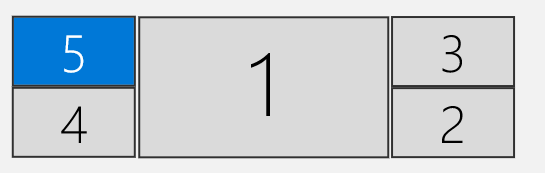
The Lenovo P360 Tower I own is somewhat of a mega build, which I call “The Levitator” due to the externally mounted AOI I installed (significant case modifications required). The other mod is additional front facing USB ports, that connect to a reliable PCIex1 USB card. Due to this mod, I do not have use of the GPU expansion area at the front of the case. I had 5 displays originally with 3 displays on the dGPU (NVidia T1000 8GB PCIe 3.0 x16) and 2 displays on the iGPU (Intel UHD 770)… That’s a 1×43″ UHD in the middle and 2×21.5″ FHD on the left and 2×21.5″ FHD on the right…

For some time, I have wanted to have all displays on the dGPU as can multi-boot in Proxmox for additional capabilities, and use PCIe pass-through of the dGPU and USB card in order to preserve the ability to have a full native desktop experience.
More than 4 displays is only really possible with AMD these days. Even though some NVidia cards have 5 ports, they can only drive 4 displays. In addition, the documentation from AMD is all over the place on how many displays are supported. This chart consolidates it nicely and is applicable because desktop and mobile models are the same when it comes to the number of displays supported. I can’t consider the workstation cards (e.g. W6800) from AMD due to the space limitations I have and the price isn’t worth it. RDNA2 is preferred due to additional features that RDNA1 lacks.

The most powerful dGPU that I can fit in the P360 Tower case, given my space limitations, and which is no wider than 2-slot, with support for 5-6 displays, is the PowerColor Fighter RX 6700 XT. This card really seems to be in the sweet spot.
Consumer cards from AMD only have 4 ports (3xDP, 1xHDMI) so an MST hub is required. There are some capacity charts to verify max displays and resolution for MST, and even though the 4xFHD displays I have are DP 1.2, I still opted for a DP1.4 MST hub, in order to be the most current for things I was buying. So I bought a DP1.4 four port MST hub by SIIG, which connects 4xFHD@60Hz displays. The result is two display port connections to the dGPU.
Here is the internal view of the system. It’s packed very tightly, with 4xSATA cables close to one of the dGPU fans, and a PCIe Intel X520 (2x10Gbps) card close to the other dGPU fan. The dGPU card is just short enough to squeeze in where the extra USB ports exit the case for the front panel.

Here is the view of the 2xDP cables connecting to the dGPU along with the MST hub where the 4xFHD displays connect to the MST hub.

Parts used for this build. Prices were correct at the time of this writing:
PowerColor Fighter AMD Radeon RX 6700 XT Gaming Graphics Card with 12GB GDDR6 Memory $367 USD https://amzn.to/3TjRDkX
SIIG DisplayPort 1.4 to DisplayPort MST Hub Video Splitter 4K $94 USD https://amzn.to/3V0uWmN
ARCTIC Liquid Freezer II 280 – Multi Compatible All-in-One CPU AIO Water Cooler $100 USD https://amzn.to/42WpqUl
(Newer version ARCTIC Liquid Freezer III 280 – Water Cooling PC, All-in-One CPU AIO Water Cooler $86 USD https://amzn.to/3wzmoJA)
YEELIYA 6-Ports USB PCIe Card PCI Express to Type C(2),USB Type-A(2) Expansion Card with Internal 19 Pin Connector/Type E(A-Key)$26 USD https://amzn.to/3SXvxD9
BATIGE Dual Ports Square USB 3.0 Panel Flush Mount Extension Cable $10 USD https://amzn.to/3wzLLuJ
Duttek USB Type C Front Panel Adapter $8 USD https://amzn.to/3Tje7m4
PNGKNYOCN USB C 3.0 Flush Mount Cable,0.5M Square Type C $13 USD https://amzn.to/3UZO8RB
E-outstanding 20 Pin USB 3.0 Header Female to Dual USB 3.0 Female Splitter $6 USD https://amzn.to/3wxYFJL

 techtips.walshaw.me
Leave a comment